
Planning around your organization
Define essential services, dependencies, objectives and roles. Organizational information gives the scenario and tasks a relevant context.
The platform / Connecting the exercise lifecycle
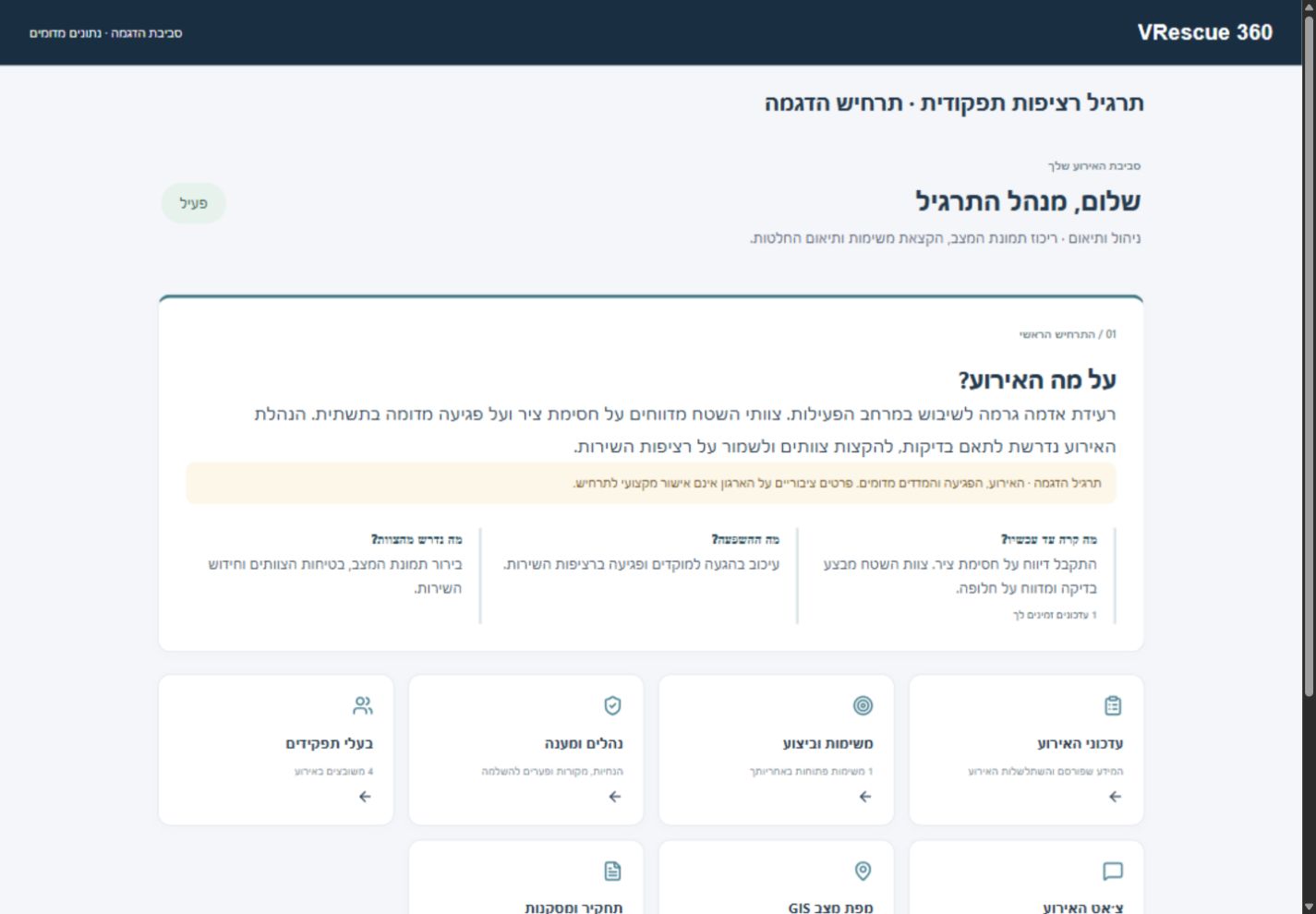
VRescue360 connects scenarios, people, tasks and communications in a shared emergency exercise environment. Plan the exercise, coordinate participation and turn the documented record into learning and improvement actions.
The need behind the solution
An emergency exercise management platform needs to connect information, people and decisions. Leadership, emergency teams, exercise controllers and evaluators often work in parallel. When updates are scattered across documents and messages, it becomes difficult to establish what participants knew, what was decided and who owns the next action.
VRescue360 brings planning, exercise delivery and learning into a documented workflow. Build a scenario around your organization, assign participants and exercise roles, and collect evidence for the debrief. The record can then inform preparation for the next exercise.
What we practice. What we connect.
Define essential services, dependencies, objectives and roles. Organizational information gives the scenario and tasks a relevant context.
Coordinate controllers and exercise updates, with permissions for preparation, publication, evaluation and communications.
Connect reports and decisions to the exercise. A GIS map displays locations and resources entered into the scenario.
Use the event timeline and observations to review the exercise. Assign improvement actions, owners and targets, then follow their progress.
Illustrative scenario · Content is tailored to your organization
A critical service is unavailable, a supplier reports a delay and teams receive incomplete information. The exercise director introduces updates gradually while participants practice their assigned responsibilities.
The process
Define objectives, roles and an organizationally relevant scenario.
Publish injects and coordinate tasks, reports and communications.
Review decisions, observations and gaps in the documented record.
Define follow-up actions and revisit them in the next exercise.
Before we begin
We would like to understand your context and tailor the scope to your organization.
Exercises can address different organizational objectives and scenarios. Content, participants and delivery scope are defined during preparation.
No. Exercise management takes place in a browser. VR and other training tools can complement the training program separately, according to your needs.
This page describes an exercise planning, management and learning environment. It is not presented as a replacement for your organization’s operational communications and command systems.
VRescue360 by proMixed
Tell us about the challenge, participants and objectives. We will arrange a focused introduction and demonstration.
Explore the platform for your exerciseהתמונות באתר להמחשה בלבד. חלקן נוצרו באמצעות כלי בינה מלאכותית (AI).
Images on this website are for illustrative purposes only. Some were created using artificial intelligence (AI) tools.